Chrome extension: install and use
Check the Bucket Score of any site you're on with one click.
Install
From the Chrome Web Store (when listed): open the listing and press Add to Chrome.
From the download (works today):
- Download the zip from Free downloads and unzip it.
- Open
chrome://extensionsand switch on Developer mode (top right). - Press Load unpacked and choose the unzipped folder.
- Pin TightBucket from the puzzle-piece menu so it's always one click away.
Audit the page you're on
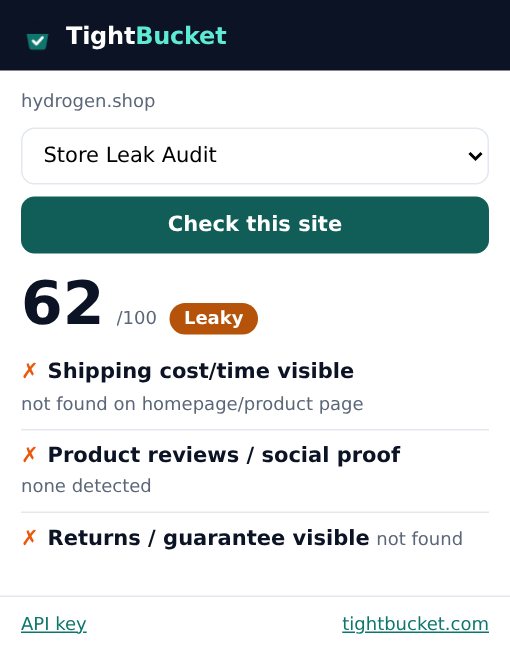
Open any public website, click the TightBucket icon, check the audit type (it remembers your choice per site) and press Check this site. You'll see the score, band and top leaks; Full report with fixes opens the report with evidence.
Use your plan (optional)
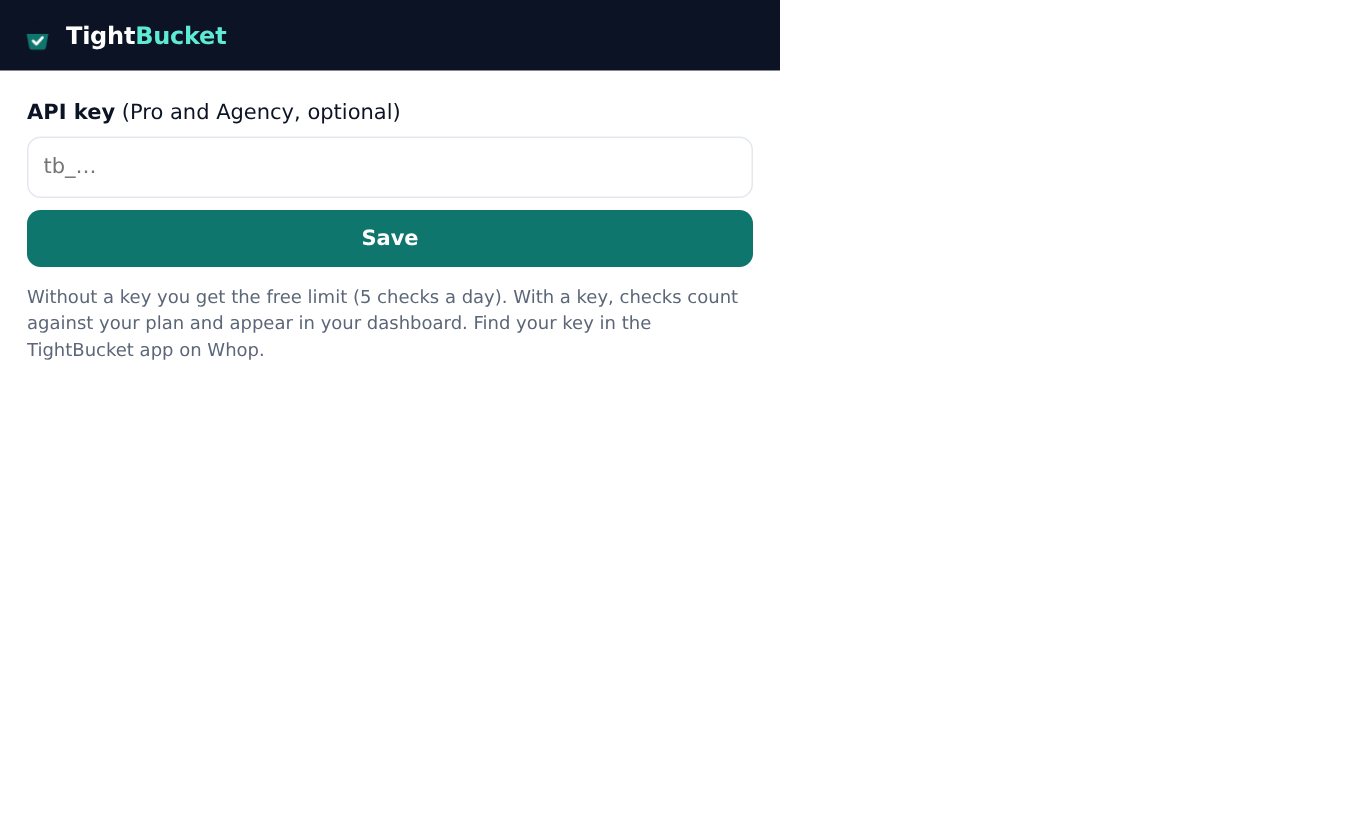
Members can paste their API key (from the Whop dashboard) via the API key link at the bottom of the popup. Audits then use your plan instead of the 5-a-day anonymous limit.
Privacy
The extension reads the current tab's address only when you click it, and talks to one server: ours. No browsing history, no page content, no tracking.